
Ozwin Help & FAQ: Your Questions Answered
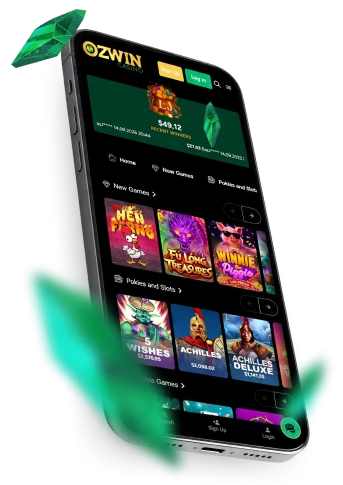
Whether you are new to Ozwin or a returning player, this page is designed to help you resolve common account, verification, technical and payment issues quickly. For step-by-step guidance on specific topics, follow the links to our dedicated information pages throughout.
Proving Your Identity: Why It Matters and What to Expect
Why does Ozwin ask me to verify my identity?
Identity verification — sometimes called a KYC (Know Your Customer) check — is a standard requirement for all legitimate online gaming platforms. Ozwin conducts these checks to confirm that you are who you say you are, that you meet the minimum legal age of 18, and that your account details match the payment methods you use. Verification also helps protect your account from unauthorised access and ensures compliance with anti-money laundering obligations. You can read more about the overall process on our account verification page.
When might verification be requested?
Verification can be triggered at several points: shortly after you create your account, when you submit a withdrawal request, or when Ozwin’s systems flag an activity that requires a closer look. It is not unusual for a check to occur even if your account has been active for some time. Providing your documents promptly through the Ozwin account area helps avoid any interruption to your withdrawals or gameplay.
What types of documents are typically required?
Ozwin may ask for a combination of the following:
– A valid, government-issued photo ID (such as a passport or driver’s licence)
– Proof of your current residential address (such as a recent utility bill or bank statement)
– Copies of the payment methods used for deposits, such as the front and back of a credit card or a screenshot of an e-wallet
All documents must be clear, legible and recent. Blurry images or cropped documents are likely to be rejected and will slow the process.
Why must my account details and documents match exactly?
Ozwin only accepts deposits from payment methods registered in the account holder’s name. If the name on your card or bank account differs from the name on your Ozwin profile — even due to a nickname or spelling variation — your withdrawal request may be held until the discrepancy is resolved. Ensuring consistency from the moment you register avoids most of these complications.
What should I do if my verification is taking longer than expected or has been declined?
If you have submitted documents and have not received an update after a reasonable period, contact Ozwin customer support directly through the platform. If a document has been declined, the support team will advise you on what is missing or what alternative evidence is acceptable. Do not resubmit the same document without first checking what was insufficient.
Can Ozwin ask me to verify again if I have already done so previously?
Yes. Ozwin may conduct additional checks at any point, particularly if your account activity changes significantly or if updated regulatory requirements come into effect. A repeat verification request does not imply that anything is wrong; it is a routine protective measure.
Your Ozwin Account
I cannot log in — what should I check first?
Before contacting support, run through a few quick checks: confirm that you are using the correct email address associated with your Ozwin account, ensure your password is entered exactly as set (passwords are case-sensitive), and check whether your browser has saved an outdated password that is being auto-filled. Our mobile login guide covers additional steps if you are accessing Ozwin on a smartphone or tablet.
I have forgotten my password or username — how do I recover access?
Password and username recovery is handled directly inside the Ozwin platform via the login screen. Use the forgotten password option and follow the prompts sent to your registered email address. If you no longer have access to that email address, contact Ozwin customer support to request manual assistance with account recovery.
My account appears to be locked or temporarily unavailable — what does this mean?
Accounts can be temporarily restricted for a number of reasons, including multiple failed login attempts, an incomplete verification review, or a flag raised by Ozwin’s security systems. In most cases, the situation is resolved once the relevant checks are completed. If you are unable to access your account and receive no clear explanation, reach out to Ozwin customer support through the platform’s contact options.
Technical Issues
I am not receiving emails from Ozwin — what can I do?
Check your junk, spam and promotions folders, as email filters can redirect messages from unfamiliar senders. If the email is not there either, verify that the address registered on your Ozwin account is correct. A single character error in an email address means messages are being sent somewhere else entirely. Ozwin customer support can confirm what address is on file and update it if necessary.
A page on the Ozwin platform is not loading or a feature is unavailable
Temporary outages and loading issues are usually caused by browser-related factors. Try clearing your browser’s cache and cookies, then reload the page. Switching to a different browser or updating your current one can also resolve compatibility problems. If the issue persists across multiple browsers or devices, the platform itself may be undergoing maintenance — check back shortly or contact Ozwin customer support for an update on service availability.
What information should I include when contacting Ozwin customer support about a technical problem?
A well-structured report helps support staff investigate your issue faster. Include the following:
– A clear description of what happened and when
– The device type and operating system you are using
– The browser name and version (if applicable)
– Any error message displayed on screen (a screenshot is ideal)
– Your Ozwin account username or registered email address
Providing this information upfront reduces back-and-forth and speeds up resolution.
I registered but am unsure whether my account was created successfully
If you completed the sign-up form but did not receive a confirmation, it is possible the email was filtered or that the registration did not complete. Visit the registration and sign-up page for guidance on what a successful registration looks like, then contact Ozwin customer support if you remain uncertain.
Deposits and Transactions
My deposit is not showing in my Ozwin account — what should I do?
Deposits can occasionally take a little time to reflect, depending on your payment provider. If your funds have left your bank or e-wallet but have not appeared in your Ozwin account after a reasonable period, gather your transaction reference or confirmation from your payment provider and contact Ozwin customer support. Do not attempt to make a second deposit before the first has been resolved, as this can complicate the investigation.
My payment was declined — what are the common reasons?
A declined payment is usually related to one of the following: the name on the payment method does not match the registered account name, your bank has flagged the transaction, the payment method is not supported in your region, or your card has insufficient funds or a transaction limit in place. Contact your bank first to rule out a block on their end, then reach out to Ozwin customer support if the issue appears to be on the platform side.
My withdrawal has not arrived — when should I follow up?
Withdrawal processing involves both the Ozwin platform and your payment provider, so some delay is normal. If the status in your account shows as approved but the funds have not arrived after a reasonable time, contact Ozwin customer support with your withdrawal reference details. Unverified accounts or accounts with outstanding document requests may have withdrawals placed on hold until those requirements are met.
Responsible Gambling
Gambling is a form of entertainment, not a reliable way to earn money. Ozwin encourages all players to approach gaming with clear personal limits in place — decide on a budget before you start and stick to it, set time boundaries for each session, and take regular breaks. If you find that gambling is occupying more of your time, money or thoughts than you intended, these are warning signs worth taking seriously.
Ozwin offers tools such as deposit limits, temporary breaks and self-exclusion, available through the Ozwin account area by contacting Ozwin customer support. For independent, confidential support, the following Australian services are available:
- National Gambling Helpline: 1800 858 858 — free and confidential, available 24/7
- Gambling Help Online: gamblinghelponline.org.au — live chat, email and online counselling, available 24/7
- Lifeline (crisis support): 13 11 14
- National Debt Helpline (financial counselling): 1800 007 007
- BetStop — the National Self-Exclusion Register: betstop.gov.au
If someone close to you is experiencing gambling harm, these services can assist friends and family members as well.